Best 3D Printer Alternative to Bambu Lab in 2026
The Prusa MK4S is the best 3D printer alternative to Bambu Lab in 2026 - fully open ecosystem, no cloud lockdown, no authorization server. 4 alternatives ranked for makers who want to own their machine.
Heads up: some links here pay us. If you buy through an EcoFlow or eufy link we may earn a commission, at no cost to you (that's Awin, in some countries). Amazon and other shop links pay us nothing right now. I haven't tested these products myself unless the page says so; the picks come from the specs and listings, and I'll tell you when I'm not sure. How I research · Editorial policy
Prusa MK4S
The Prusa MK4S is the best alternative to Bambu Lab in 2026 for one reason: it is the printer Bambu used to be. Open firmware, open ecosystem, repairable, and built by a company whose entire business is selling you a machine you actually own. The Creality K1C is the best value alternative - an enclosed CoreXY at $369 - and the Sovol SV08 is the runner-up for the open-source community, a near-stock Voron 2.4 clone running Klipper out of the box. Bambu printers are still excellent machines. This article is for makers who decided in 2025 that they want a printer that does not need permission from a cloud server to print.
Check Price on AmazonAt a Glance
| Feature | Prusa MK4S | Creality K1C | Sovol SV08 | Elegoo Centauri Carbon | Anycubic Kobra S1 Combo |
|---|---|---|---|---|---|
| Price | $1,299 | $369 | $549 | $349 | $459.99 |
| Cloud-Free Operation | No - fully local | No - local printing supported | No - fully local | Local printing supported | Local printing supported, cloud optional |
| Firmware Openness | Open (Marlin-based) | Open (Klipper-based) | Stock Klipper | Elegoo (open-firmware policy unproven) | Anycubic (proprietary) |
| Build Volume | 250 x 210 x 220mm | 220 x 220 x 250mm | 350 x 350 x 345mm | 256 x 256 x 256mm | 250 x 250 x 250mm |
| Kinematics | Bed-slinger (Cartesian) | CoreXY, enclosed | CoreXY (Voron 2.4 clone) | CoreXY, enclosed | CoreXY, enclosed |
| Hotend | Nextruder, all-metal | Direct drive, hardened steel | Direct drive, hardened steel | Direct drive, hardened steel | Direct drive, hardened steel |
Quick Comparison


Our Top Picks
Prusa MK4S
Best overall - the open, repairable, Czech-built reference printer. Local printing, open firmware, every part replaceable.
- Fully local-first - no cloud server, no account required to print
- Open firmware (Marlin-based), community-modifiable, schematics published
- Every part documented and available as a replacement
- Input shaping produces print quality comparable to Bambu out of the box
- Fully assembled and ready to print - no build time before your first part
- Prusa Research has been doing this for over a decade - the company is not going to vanish
- More expensive than equivalent enclosed printers, and the DIY Kit that used to undercut it is currently out of stock
- Bed-slinger design - no enclosure, no CoreXY speed ceiling
- No automatic multi-material in the box (MMU3 is an add-on)
- Slower at maximum print speed than a tuned Bambu
Creality K1C
Best value - enclosed CoreXY now well under half the price of a new-model Bambu, with open firmware and an active modding community.
- Enclosed CoreXY at $369, down from $599 when this article was first priced
- Open firmware (Klipper-based) - flashable, modifiable, community-supported
- Carbon-fiber-rated hotend out of the box
- AI camera for print monitoring without a paid cloud subscription
- Strong third-party parts ecosystem
- Build quality is good but not Prusa-tier - some users replace fans and add vibration dampers
- Stock slicer (Creality Print) is fine, not great - most users move to Orca Slicer
- No multi-material option from Creality directly
- Creality has had quality-control swings historically - check reviews on the specific batch
Sovol SV08
Runner-up - a near-stock Voron 2.4 clone running Klipper, for the open-source maker community.
- Voron 2.4-based design - an open-source CoreXY reference architecture
- Pure Klipper firmware out of the box - no manufacturer fork
- 350 x 350 x 345mm build volume - one of the largest at this price
- Quad-Gantry-Leveling with 4 independent Z motors for consistent first layers
- Active community of users sharing profiles, mods, and replacement parts
- Assembly and tuning take longer than a Bambu - this is a maker tool, not an appliance
- Sovol is a smaller brand - long-term parts availability is less certain than Prusa
- No automatic multi-material
- No enclosure included - add one separately for ABS/ASA
Elegoo Centauri Carbon
Now the cheapest of the five - enclosed CoreXY from a resin-printer heavyweight, with a much larger review base than when this article was written.
- Enclosed CoreXY at $349 - now the cheapest option on this list
- Carbon-fiber rated hotend included
- 2,572 ratings on Amazon - no longer the unproven newcomer this article once called it
- Decent stock print quality with minimal calibration
- Smaller open-source community than Creality or Prusa
- No proven open-firmware story yet - watch how Elegoo handles updates
- Slicer ecosystem still maturing
- Elegoo's track record is still shorter than Creality's or Prusa's in FDM specifically
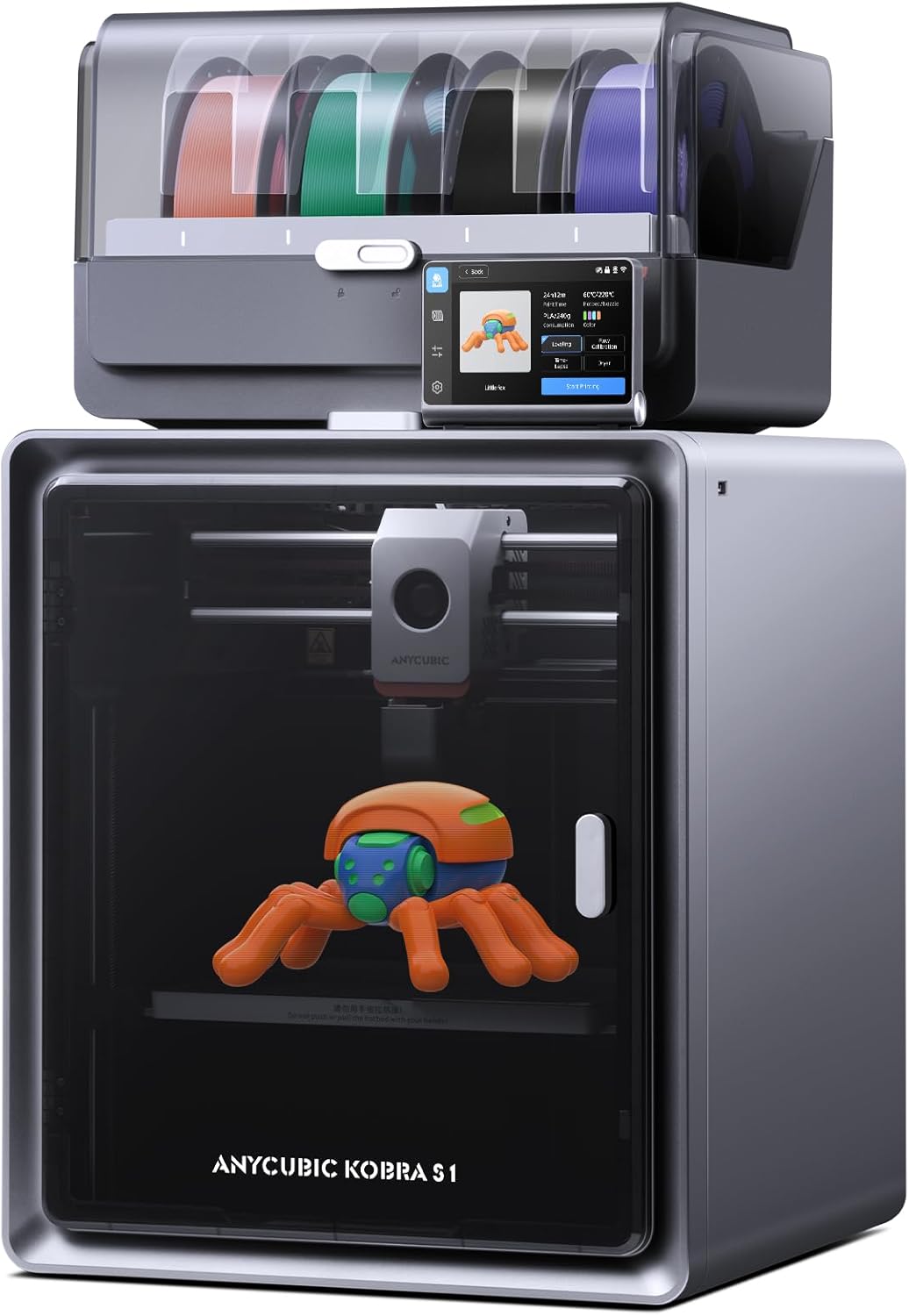
Anycubic Kobra S1 Combo
Multi-material alternative - the AMS competitor for users who want Bambu-style color printing without Bambu.
- ACE Pro multi-material system rivals the Bambu AMS at a lower price
- Enclosed CoreXY with all the appliance-style features
- Combo bundle includes the multi-material unit upfront
- Decent stock print quality
- Anycubic firmware is less open than Klipper-based alternatives
- Multi-material units add maintenance overhead regardless of brand
- Smaller community than Creality
- Cloud features are present - read the privacy policy before relying on them
How This Was Researched
Each alternative was assessed on the four properties Bambu users started prioritizing after the spring 2025 authorization-server rollout: local-only printing (does it work without cloud), firmware openness (can you flash it, repair it, modify it), repairability (parts available, schematics published), and print quality at price. We deliberately weighted ownership over convenience: Bambu still wins on out-of-box ease for many users, but if you want a machine you own outright, ease is not the metric.
Frequently Asked Questions
It depends on your reason for leaving. For makers prioritizing ownership and repairability, the Prusa MK4S is the gold standard - fully open firmware, every part replaceable, no cloud required. For value and enclosed printing at half the Bambu price, the Creality K1C wins. For the open-source community, the Sovol SV08 is the runner-up - it is essentially a Voron Trident clone running stock Klipper. Anycubic Kobra S1 Combo is the choice if multi-material printing is the dealbreaker.
The catalyst was the 2025 authorization-server rollout, which required a Bambu account and online verification to use third-party slicers and tools that had previously worked locally. Bambu walked back parts of the change after public pushback, but the episode made clear that any cloud-dependent printer can have its workflow changed by the manufacturer at any time. Many users decided they wanted a printer whose ability to print does not depend on permission from a remote server. That is what these alternatives offer.
Yes. The Prusa MK4S with input shaper enabled is genuinely competitive with a stock P1S on print quality - walls are clean, layer lines are tight, and overhangs are good. The Creality K1C produces good stock prints and excellent prints once you switch to Orca Slicer. The Sovol SV08 requires more tuning but, once tuned, matches anything on this list. Print quality is no longer the reason to choose Bambu over an open alternative.
Yes - many makers do exactly this. Keep the Bambu for fast, hands-off prints where the convenience matters, and add an open printer for projects where you want full control over the workflow. The two-printer approach is increasingly common and avoids the all-or-nothing framing.
Bambu Lab no longer sells the X1 Carbon as a new product - it is only available through Bambu's official refurbished store. Its old role in the Bambu lineup (hardened components for abrasive materials, AI-assisted reliability) has been taken over by the newer P2S. If lowest-friction multi-color FDM within the Bambu ecosystem is what you want, the current P2S is the machine to compare against, not the X1C. The alternatives in this guide exist for makers who decided that staying in the Bambu ecosystem at all is no longer the only criterion.
Prusa MK4S
Best overall - the open, repairable, Czech-built reference printer. Local printing, open firmware, every part replaceable.
Check Price on Amazon