The Framework Laptop 13 is 2.87 lbs and 13.5 inches. It fits a normal backpack and you forget it is there. The Framework Laptop 16 is noticeably heavier and 16 inches. You feel it. If you carry the laptop daily, the 13 is the only realistic pick. If the laptop sits on a desk most of the time, the 16 is fine.
Framework Laptop 13 vs 16: Which Modular Laptop Wins? (2026)
Framework 13 vs 16 in 2026: the 13 wins portability and value, the 16 wins GPU power. Which modular, repairable laptop fits your workflow, compared spec by spec.
Heads up: some links here pay us. If you buy through an EcoFlow or eufy link we may earn a commission, at no cost to you (that's Awin, in some countries). Amazon and other shop links pay us nothing right now. I haven't tested these products myself unless the page says so; the picks come from the specs and listings, and I'll tell you when I'm not sure. How I research · Editorial policy
Prices change daily at frame.work. Check today's price on the Framework Laptop 13 before reading the full review.
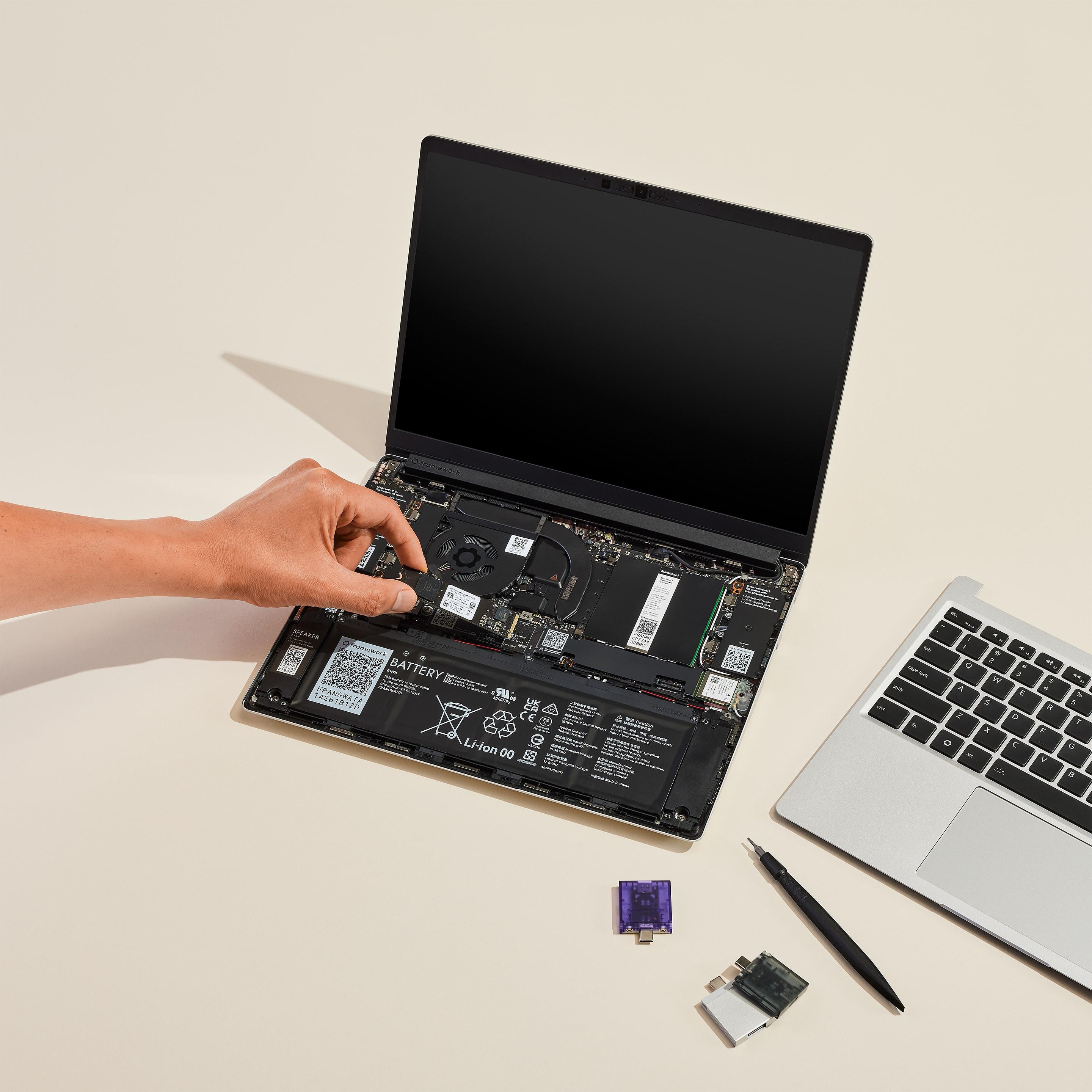
Framework Laptop 13
From $849
VS
Framework Laptop 16
From $1,249
Quick Answer
Framework Laptop 13 wins overall
Portability and Daily Carry
Winner: Portability and Daily Carry
Framework Laptop 13
Performance and GPU Options
Both run the current AMD Ryzen AI 300 series, but the 16 has dual-fan thermals with more sustained headroom than the 13's single fan. Add the optional GeForce RTX 5070 or Radeon RX 7700S GPU module and the 16 becomes capable of real gaming, video editing, and 3D work. The 13 is integrated graphics only. For productivity and code, both are fast. For anything GPU-heavy, the 16 is in a different class.
Winner: Performance and GPU Options
Framework Laptop 16
Repairability and Upgrade Path
Both laptops earn 10/10 from iFixit and both share the same expansion card system, mainboard upgrade path, and Framework Marketplace parts catalog. The 16 has slightly more modular surface area thanks to the swappable keyboard deck and GPU bay. Either way, you are buying a laptop you can repair and upgrade for a decade, which is the entire reason Framework exists.
Final Verdict
Portability vs Power, Both Repairable
The Framework Laptop 13 wins for daily carry, students, writers, and developers who value portability and a smaller footprint. The Framework Laptop 16 wins for creators, engineers, and gamers who need GPU headroom and a bigger display. Both score 10/10 on iFixit, both use the same expansion card system, and both let you upgrade the mainboard later. Pick the 13 if weight matters. Pick the 16 if performance matters.
Frequently Asked Questions
Light 1080p editing in DaVinci Resolve or Premiere is fine on the 13 with 32GB RAM. For 4K editing, color grading, or anything GPU-accelerated, the Framework Laptop 16 with the discrete GPU module is the better tool.
For gaming and creative work, yes, if you can get one. The GeForce RTX 5070 and Radeon RX 7700S modules both deliver real discrete-GPU performance, but the RTX 5070 module in particular has shipped in delayed batches - check current stock before assuming it will arrive with your order. For productivity-only use, skip the GPU module and save the cash; the integrated graphics are plenty.
No. The 13 and 16 use different mainboard form factors. Upgrades are within each model line, so a Framework 13 mainboard fits any Framework 13 chassis, and a Framework 16 mainboard fits any Framework 16 chassis.